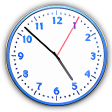
A trendy clock for your desktop
If Windows already features a system clock, what's the point of installing another one?
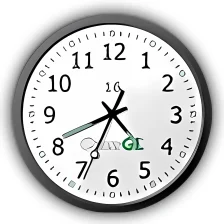
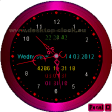
The answer is simple: ClocX is much more than just a simple replacement for the Windows standard clock. It features extra functionality such as an alarm system and can be customized with literally hundreds of different skins. ClocX can be configured to stay on top of other apps or be pinned to desktop, providing you with a nicer and more comfortable way to check time.
As stated before, ClocX includes a handful of skins to change the clock's appearance, although many of them are simple color variations of the same skin. Other visual tweakings are transparency and size. The alarm tool is perfect for setting up small reminders and can even be programmed to trigger an action like playing audio o video, launching an application or shutting down the PC. The program also features a calendar but this one doesn't have support for planning tasks.
Finally, Clocx will apparently support external plug-ins but this feature is unfortunately still under development, as you can tell from the program's configuration menu.
A fully customizable clock with interesting extra features, although not as developed as they should be.




















User reviews about ClocX
by Anonymous
click through with loads of skins!.
Click through, lots of skin to choose (although you prefer only few), come along with alarm and calender.
by Anonymous
click through.
a) Alt + k does nothing
b) if I check theClick through after that ,is
impossible to do anything . I have to uninstall & re-install More
by Anonymous
Dreadful experience.
The install procedure kept running for 45 minutes until I had to reset the computer. Totally nuked my XP machine. This thing is a mess
Pros:
None More
by Anonymous
Have to auto log in.
I just looking for this feature that the alarm have to ring even i put the sleep mode or stand by mode
by Anonymous
Very nice, worth downloading..
I have been looking for a nice little desktop clock lately. I have tested many and found only two that I can really appreciate. This program ClocX and Nova Clock. This program is a little better than Nova clock for the skin selection and timers you can set. One feature that I would like to see in future versions is the ability to have chimes for hourly 1/2 hours. I used to have an application written by Patrick Breen years ago that did that. I found a couple Westminster Chimes .wav files and viola I have a grandfather clock in the house.
Pros:
Helps you keep track with alarms.
Cons:
It would be nice to have hourly, 30 min, even 15 min. chimes with adjustable .wav files for each. More